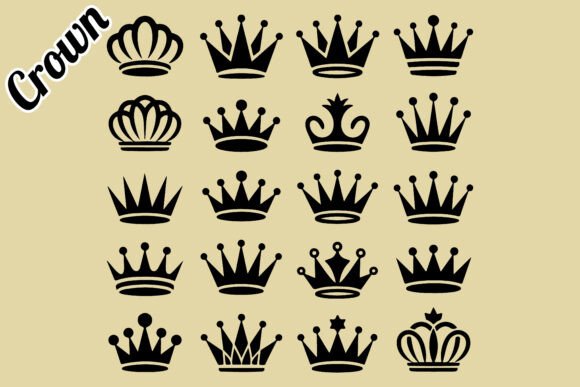
Printable Black Crown Vector Elements for Royal Design Projects
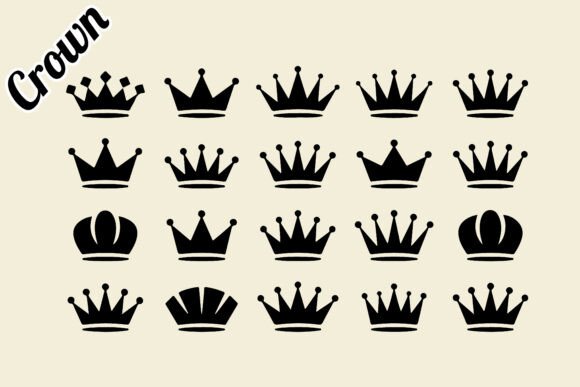
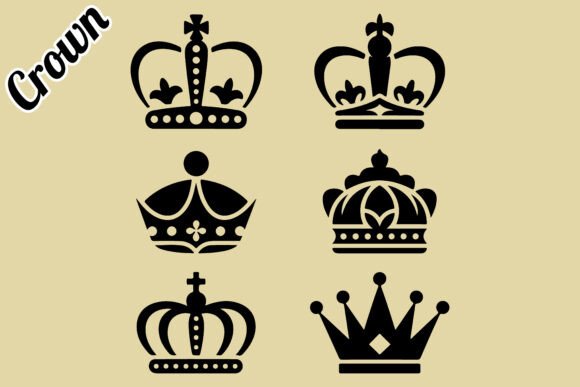
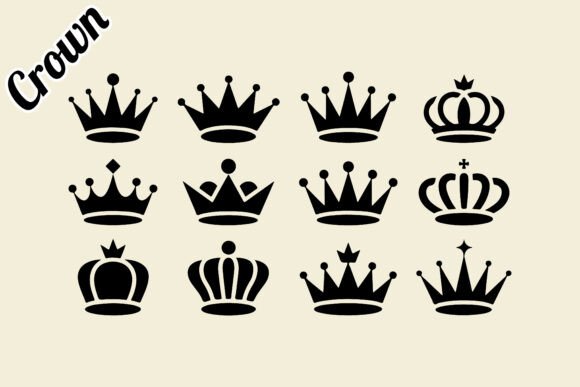
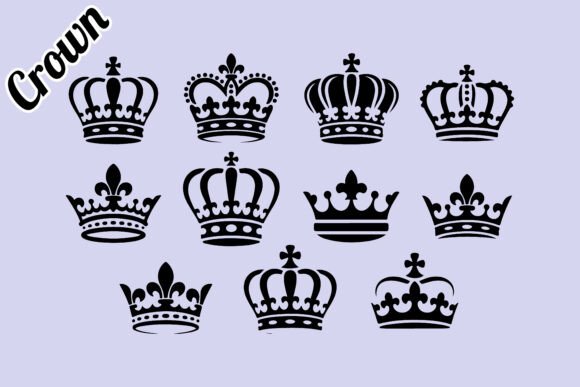
When you need a visual shorthand for royalty, authority, or celebration, few symbols carry as much weight as a well-crafted crown. The Printable Black Crown Vector Elements collection offers exactly that: a versatile set of 100 resizable crown shapes in a clean, editable format. Whether you are designing a logo, assembling a wedding invitation suite, or building UI elements for a fantasy game, these vector illustrations provide a solid starting point without requiring you to draw each crown from scratch.
This article explores what these black crown silhouettes and clipart assets offer, who benefits most from having them in a design toolkit, and how to use them effectively across different projects.
What Makes a Black Crown Vector Collection Useful
A vector file is fundamentally different from a raster image. Because vectors are built from mathematical paths rather than pixels, they scale infinitely without losing quality. The Black Crown Silhouette assets in this collection are provided as EPS 10 and JPG files, with the EPS being fully editable in Adobe Illustrator. That means you can resize a tiny crown for a favicon or blow it up for a large-format poster, and the edges remain crisp every time.
The collection includes 100 distinct crown shapes, which gives you room to choose the right style for each context. Some crowns lean toward the ornate, vintage royal crown design aesthetic, while others are simpler silhouette forms that work well for modern, minimal branding. Having multiple options in one ZIP file saves you the hassle of searching through separate packs when you need variety.
The 300 DPI resolution and RGB color mode also matter practically. The JPG preview file is suitable for quick presentations or mockups, while the EPS file lets you change colors, adjust stroke weights, and combine elements as needed. This flexibility is especially valuable for professionals who work across print and digital media.
Who Benefits Most from These Editable Crown Icons
Different audiences will find different uses for the Royal Black Crown Clipart Collection, but a few groups stand out.
Graphic Designers and Branding Specialists
If you create logos, brand guides, or visual identities for clients, having a reliable set of crown icons reduces production time. A luxury perfume brand might need a subtle crown accent on its packaging. A boutique hotel with a regal theme may want a crown emblem for its stationery. With the editable EPS file, you can tweak the crown shape to match the brand's personality, adjusting curve angles or adding negative space without rebuilding from scratch.
Wedding and Event Planners
Wedding themes often use crowns to signify the bride and groom as king and queen of the day. The Printable Black Crown Vector Elements can be used on save-the-date cards, ceremony programs, table numbers, and thank-you notes. Because the collection includes both detailed and simple silhouettes, you can use an ornate crown for the main invitation and a cleaner version for smaller collateral pieces, maintaining a cohesive look throughout the event suite.
Game and UI Designers
Gaming interfaces frequently require icons that indicate rank, achievement, or status. A tiered crown system, where different crown styles represent different player levels, is a common mechanic. The variety of 100 shapes in this collection gives you enough visual distinctions to assign different crowns to different tiers without repeating the same icon. Since the files are vector, you can import them directly into your UI mockup software or game engine and resize them to fit HUD elements without quality loss.
Educators and Content Creators
Teachers creating worksheets, flashcards, or classroom decorations often need simple, recognizable images that print well. A black crown silhouette can illustrate a lesson on medieval history, a fairytale unit, or a classroom behavior chart where the "king" or "queen" of the week gets a crown sticker. The JPG format provides a quick way to insert the image into a Word document or Google Slide, while the EPS file allows for more advanced modifications if needed.
Practical Use Cases for Premium Packaging and Print Projects
Packaging design is one area where small details make a big difference. A crown emblem on a product box communicates luxury, quality, and tradition. The Vintage Royal Crown Design Vector Illustration style in this collection works particularly well for premium product packaging, such as chocolate boxes, candle labels, or cosmetic containers.
When you are working on packaging, the ability to change the crown's color is essential. A gold foil effect on a dark box might require a filled crown shape with a metallic gradient. The EPS file allows you to apply gradients, patterns, or custom colors directly in Illustrator. The same crown can be used as a debossed element on a paper sleeve or as a printed accent on a glass bottle label.
For birthday parties and personal celebrations, the cut file potential is worth noting. If you own a cutting machine or work with a print-on-demand service, these crown vectors can be converted into stencils, iron-on transfers, or cake toppers. The silhouette versions are especially suitable for laser cutting or vinyl plotting because they have clean, closed paths that cut smoothly.
How the File Format Supports Your Workflow
The collection is delivered as a ZIP archive containing one EPS 10 file and one JPG file. The EPS 10 format is compatible with Adobe Illustrator and many other vector editing programs. Because it is an older, widely supported version, you are less likely to encounter compatibility issues with different software releases.
The 100 vector shapes are fully resizable within the EPS file. You can extract individual crowns, duplicate them, or rearrange them on the artboard. If you only need a single crown for a project, you can copy it into a new document without importing the entire set. This modularity keeps your workflow efficient.
The RGB color space is standard for digital screens, which means the crowns will display accurately on monitors, tablets, and phones. If you need CMYK for offset printing, you can convert the colors easily in your editing software. The 300 DPI JPG serves as a high-resolution preview that you can use for quick client approvals or online portfolios before finalizing the vector version.
Choosing the Right Crown Style for Your Project
Not all crowns communicate the same message. A detailed, jewel-encrusted vintage crown suggests tradition and opulence, making it suitable for heritage brands or formal events. A simple black crown silhouette with clean lines feels more modern and minimalist, fitting for contemporary logos or digital interfaces.
The Printable Black Crown Vector Elements collection includes both extremes and many options in between. When selecting a crown for a specific use, consider the tone you want to set. A children's fairytale book cover might benefit from a playful, slightly rounded crown shape. A law firm's emblem, on the other hand, may need a more structured, authoritative silhouette. Having 100 variations means you can pick the one that aligns with your project's personality without settling.
It is also worth noting that the collection's emphasis on black silhouettes gives you a neutral foundation. Black works well as a standalone color for high-contrast designs, and it also accepts color overlays, texture fills, or transparency effects. If your brand uses a specific Pantone color, you can apply it to the crown in seconds.
Limitations and Considerations to Keep in Mind
While this collection provides strong value, it is designed for users who have at least basic familiarity with vector editing software. If you have never opened Adobe Illustrator or an equivalent program, you may need to learn how to open an EPS file, select individual shapes, and change colors. The JPG file offers a simpler fallback, but it is not editable in the same way.
Another consideration is that the collection focuses exclusively on black crowns. If you need pre-colored, multi-tone crowns with gold gradients or gemstone details, you would need to add those effects yourself. The EPS file gives you the tools to do that, but it requires some manual work. For users who want ready-to-use full-color illustrations, a different product might be a better fit.
Finally, the 100 shapes are contained in a single EPS file, which means you will be working with one document rather than individual files for each crown. This is efficient for most workflows, but if you prefer separate files for each icon, you would need to export them yourself.
Getting the Most Out of Your Vector Crown Collection
To make full use of these assets, start by opening the EPS file in your vector editor and browsing through the 100 shapes. Group or label the crowns by style, such as ornate, simple, tall, wide, or symmetrical. This organization will save time when you need a specific look later.
Experiment with layering. A black crown silhouette placed over a subtle pattern or gradient background can become a sophisticated emblem. You can also rotate crowns to create decorative borders or repeat them in a pattern for wrapping paper or fabric designs. Because the shapes are vectors, you can scale them uniformly or distort them intentionally for artistic effect.
If you are creating a logo, test the crown at different sizes to ensure it remains legible. Some detailed crowns may lose definition when scaled very small, so having simpler alternatives in the collection is helpful for applications like app icons or business card stamps.
The Printable Black Crown Vector Elements set is a practical addition to any designer's resource library. It provides immediate access to a wide range of crown styles, reduces the time spent on basic shaping, and offers the flexibility that professional projects demand. Whether you are working on a regal branding project, a fairytale illustration, or a set of party decorations, these crown vectors give you a reliable foundation to build upon.